













WhatsApp +212 663 813 479

Zyminex – IPTV Subscription With a Proper Guide and Catch-Up TV

Zyminex Lays Out 25,000+ IPTV Channels as Tonight's Listings

A playlist of 25,000+ channels with nothing beside them is a long menu and no idea what is on. Zyminex sends the guide with your login: now, next and later tonight on every channel that carries listings, in your own time zone, plus catch-up where a channel keeps an archive. Terms from $15.

  • Login in under 15 minutes
  • Refundable for 7 days
  • WhatsApp help 24/7
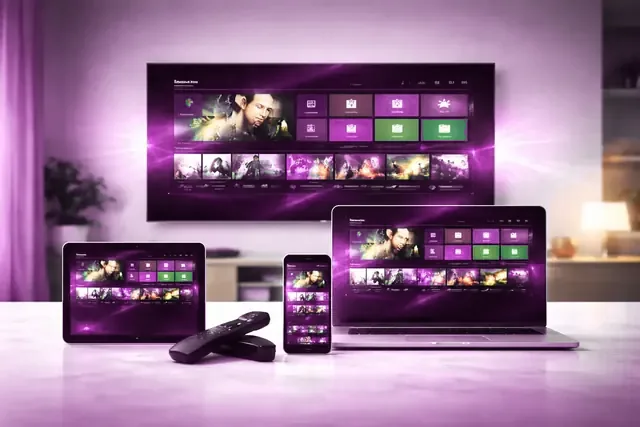
A wall television, laptop, tablet and phone on a table, each showing the same channel menu
25,000+ Channels to search, filter and star

Pay once per term: no automatic renewal, no stored card, and the login arrives in the chat you ordered from.

Pick a term on WhatsApp

Refund window of 7 days on every term

A couple on a sofa, remote in hand, deciding what to watch A viewer pointing a remote at a television menu of channels and films
Our starting point

Why This IPTV Service Starts With the Guide


Every IPTV service quotes a channel count first; ours is 25,000+ from 60+ countries. On its own that number is a problem, because a list that long with nothing beside it leaves you reading channel names at eight in the evening. It turns into television only when each row says what is on, what follows and what already aired.

So that is where the work goes: XMLTV guide data with every login, filling the grid in TiViMate, IPTV Smarters Pro and similar players, and a shortlist of thirty or forty starred channels that keeps the rest out of the way until you search for it.

  • Now, next and later tonight, channel by channel
  • Catch-up where a channel keeps an archive
Taming the list

Cutting 25,000+ Channels Down to the Forty You Watch

Star your regulars

TiViMate and Smarters both keep a favorites list, filled from each channel's own menu. Thirty or forty is a sensible size: a week of viewing, short enough to scroll.

Hide what you never open

TiViMate can hide whole groups; other players vary. Remove the countries and genres you skip and the list and guide shrink to something you can read at a glance.

Search instead of scrolling

For the channel you open twice a year, type part of its name into the player's search. It is quicker, and your favorites stay as you arranged them.

Let catch-up settle clashes

Two things you want at 9? Watch one live and the other from the archive at 10, if its channel keeps one. The TiViMate walkthrough shows where the icon appears.

Finding Tonight's Program, Three Ways

What you are afterA bare channel listThe guide gridGuide, favorites and catch-up
What is on right nowOpen channels one by oneBeside each channel with listingsYour shortlist first
Everything from 8 to 11Cannot be seenScroll the grid forwardScroll only your channels forward
A show that began at 8Join it part-wayJoin part-way, start time shownPlay it from the start, archive permitting

Four Figures, and the One Setting That Matters

What sits behind the listings, counted once. The setting that decides whether they read true is the time zone on your device.

See how the channels are grouped

25,000+Live channels, grouped by country

120,000+Films and series, no schedule

99.9%Uptime on the servers

60+Countries in the line-up

Listings in local time for Canada, the United States, Australia, the United Kingdom, the rest of Europe and the Middle East

The Player Decides What Your Guide Looks Like

Walkthroughs for Samsung and LG televisions, Fire TV, Apple TV, Android TV, Roku, Windows, MAG and Formuler

Each walkthrough ends with the EPG loaded and the clock checked. We suggest TiViMate on Fire TV and Android boxes (Premium, bought in the TiViMate Companion phone app, adds recording and multi-view), IPTV Smarters Pro or Smart IPTV on Samsung and LG, a MAC-bound portal on MAG and MyTVOnline on Formuler. Pick your hardware or start at the setup hub.

  • Amazon Fire TV Stick logo
  • Samsung Smart TV logo
  • Android TV logo
  • Apple TV and iPhone logo
  • MAG and Formuler box logo
  • Nvidia Shield logo
  • Android phone and tablet logo
  • IPTV Smarters Pro logo
  • Roku logo
  • Web player and M3U logo
  • LG Smart TV logo
  • Windows PC and Mac logo
One menu of channels and films repeated on four screens, from a wall television down to a phone
Login in under 15 minutesOrder, payment and setup help in one WhatsApp conversation.
The first evening

The First Evening, in Four Steps

  1. Choose a term and a stream count

    1, 3, 6 or 12 months, for 1, 2, 3 or 5 streams at once. The WhatsApp button under each on the pricing page opens with the plan written in.

  2. Receive the login in that chat

    The server URL, username, password and M3U link arrive in the same conversation, normally under 15 minutes after payment. The guide address follows if your player asks for it.

  3. Install a player

    Use the walkthrough for your device from the list above; each names the player that suits it.

  4. Load the guide, then star your channels

    Give the EPG a few minutes on the first run, check the times against your clock and star your regulars. Later evenings start from that list.

Open the Guide for 24 Hours Before You Pay

Treat it as a normal evening: load the guide, check the times, play something from catch-up and search for the three channels you would miss most. If that works on your device, so will the paid login. No card is taken.

No payment details needed. Your request opens in WhatsApp for you to send, and the login comes back in that same chat.

Terms

IPTV Plans: Every Tier Opens the Same Guide

Installs are unlimited. Unsure which term? Take a month and live with the guide for a few weeks; kept for a year, it costs about $5.75 a month, near 19 cents a day.

1 Month

$ 15 for 1 month

averages $15.00 a month

  • 25,000+ live channels in one searchable guide
  • Listings shown in your own time zone
  • Catch-up on the channels that keep an archive
  • 120,000+ films and series with no schedule attached
  • Up to 4K where the channel is produced in it
  • Plays in TiViMate, Smarters and most other players
  • WhatsApp answers 24 hours a day
  • 7 days to claim a full refund
Choose this term

3 Months

$ 29 for 3 months

averages $9.67 a month

  • 25,000+ live channels in one searchable guide
  • Listings shown in your own time zone
  • Catch-up on the channels that keep an archive
  • 120,000+ films and series with no schedule attached
  • Up to 4K where the channel is produced in it
  • Plays in TiViMate, Smarters and most other players
  • WhatsApp answers 24 hours a day
  • 7 days to claim a full refund
Choose this term

6 Months

The middle ground

$ 45 for 6 months

averages $7.50 a month

  • 25,000+ live channels in one searchable guide
  • Listings shown in your own time zone
  • Catch-up on the channels that keep an archive
  • 120,000+ films and series with no schedule attached
  • Up to 4K where the channel is produced in it
  • Plays in TiViMate, Smarters and most other players
  • WhatsApp answers 24 hours a day
  • 7 days to claim a full refund
Choose this term

Whichever card you pick, the guide carries the same 25,000+ channels and the library the same 120,000+ titles. The term decides how long it runs, the stream count decides how many can watch at once. You pay once, it never renews on its own, and the first 7 days are refundable. Amounts in USD.

Every term and stream count sits side by side on the pricing page; the 24-hour trial needs no payment at all.

The Reseller Panel, for Whoever Sets Up Everyone Else's TV

A credit-based IPTV reseller panel, with trial lines and the full guide

If people already ask you to set up their players, the panel lets you issue their logins too: buy credits, open a line or trial per person, and each gets the same 25,000+ channels and guide. We publish credit rates, not income figures.

Reseller rates and panel

From the chat window

What People Send Us on WhatsApp

Screenshots of real chats with people using the service. Names, profile photos and account details are blurred before anything goes up here.

WhatsApp chat with a subscriber 1
WhatsApp chat with a subscriber 2
WhatsApp chat with a subscriber 3
WhatsApp chat with a subscriber 4
WhatsApp chat with a subscriber 5
WhatsApp chat with a subscriber 6
WhatsApp chat with a subscriber 7
WhatsApp chat with a subscriber 8
WhatsApp chat with a subscriber 9
Short answers first

Questions From the First Evening

Short answers for the hour between ordering and the guide filling in; the FAQ page has the rest.

What is Zyminex IPTV?

Zyminex is an IPTV subscription built around a program guide: 25,000+ live channels, each with its own row of listings, and a library of 120,000+ films and series, all streamed over your own broadband. You install a player such as TiViMate or IPTV Smarters Pro, sign in with the three details that arrive in the WhatsApp chat, and the grid fills with what is on now, next and later tonight, in your local time.

How much does Zyminex cost?

One month on a single stream costs $15, and a full year costs $69, which comes to about $5.75 a month or 19 cents a day. Plans for two, three or five streams at once cost more, but the channels, the guide, catch-up and the film library are the same on every one of them. Each term is a single payment: there is no contract, and your card details are never stored.

Can I try Zyminex before paying?

Yes. The trial gives you 24 hours on an unrestricted account and never asks for a card. Every channel, the whole guide, catch-up and the on-demand library are open, so you can look up your own channels, check that tonight's listings match the clock and replay something from this afternoon on a channel that keeps an archive. When the time is up, the account stops by itself.

Which devices can I watch Zyminex on?

Almost anything that runs a player app. Sticks and boxes: Fire TV Stick, Nvidia Shield, Roku, Apple TV, MAG and Formuler. Televisions: Samsung and LG smart TVs from 2016 on, and Android or Google TV sets. Phones, tablets and computers: iPhone, iPad, Android, Windows and Mac. The login is a standard Xtream Codes account that almost every player accepts; MAG boxes use a portal address instead. For the fullest guide grid, try TiViMate on an Android TV device.

How long is the wait between paying and watching?

Usually under 15 minutes. Payment and activation happen in the same WhatsApp chat, and the server address, username and password arrive there once the payment clears. Allow a few more minutes on the first sign-in: the player fetches the channel list first and the guide after it, so the grid can look half-empty until the listings finish downloading.

Which channels are in the line-up?

Channels from 60+ countries: the main American, British and Canadian networks, news, sport, film, children's channels and a long international section. The channel list groups the principal ones by country and genre. Inside the player, searching for a channel by name is quicker than scrolling to it, and if there is one channel you cannot do without, look it up during the trial before you pay.

Can I watch live sport and pay-per-view?

Yes. American leagues (NFL, NBA, MLB, NHL), European football from the Premier League to the Champions League, and pay-per-view boxing and UFC cards each sit on dedicated channels, with the bigger broadcasts in 4K where the broadcaster produces them. Look for a fixture in the guide, under the channel showing it. Missed the start? On a channel with an archive, catch-up plays it from the first minute.

Why does a channel say “No information” in the guide?

Because the player has no listings matched to that channel yet. On a new login the guide is often still downloading, so give it a few minutes and then run the guide refresh. If you signed in with a bare M3U link, the player may have no guide source at all; the Xtream Codes login solves that. Some channels, one-off event feeds for example, carry no listings. A regular channel that stays blank is worth a message to us.

Why are the listings an hour out?

Usually because the device clock is set to the wrong time zone, not because the listings are wrong. Check the time zone and the automatic date and time setting on the TV, stick or box first; a clock set by hand that missed the change to or from daylight saving time does exactly this. If the device is right and the grid is still off, use the player's guide time offset, if it has one.

How does catch-up work?

Channels that keep an archive let you play a program that has already aired, from its first minute. The player marks them with a small archive or clock icon. In a grid-style guide you scroll back to the program and select it; other players give catch-up a section of its own. How far back you can go depends on the channel, and catch-up behaves most reliably with the Xtream Codes login rather than a bare M3U link.